




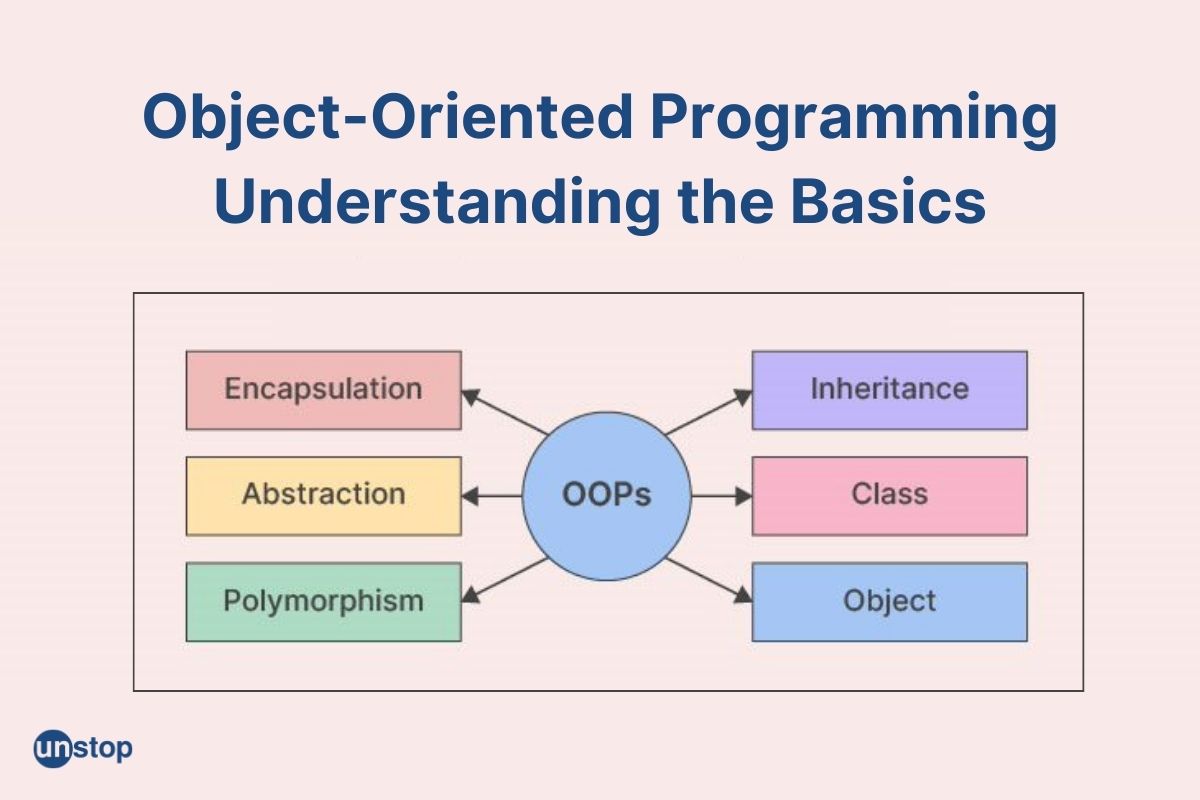
In this lesson, we are going to discuss the fundamentals of Object-Oriented Programming (OOP) in PHP and understand how it is used to develop organized, reusable, and maintainable web applications. We will learn how classes and objects are created, how constructors and destructors automate object initialization and cleanup, and how access modifiers control the visibility of properties and methods. The lesson will also introduce proper file organization and naming conventions used in professional PHP OOP projects to improve code readability and maintainability. By the end of the lesson, students will be able to apply the basic principles of PHP OOP and write well-structured code following industry-standard practices.

Introduction
Modern web applications such as Facebook, Laravel-based systems, Learning Management Systems (LMS), E-Commerce websites, and Banking Systems are built using the principles of Object-Oriented Programming (OOP). Unlike procedural programming, where programs are organized into functions, OOP organizes programs into objects that closely represent real-world entities.
PHP fully supports Object-Oriented Programming, allowing developers to build modular, reusable, scalable, and maintainable applications. In this lesson, we will learn the basic building blocks of PHP OOP, including classes, objects, constructors, destructors, access modifiers, and the proper organization and naming conventions used in professional PHP projects.
What is Object-Oriented Programming (OOP)?
Object-Oriented Programming (OOP) is a programming paradigm that organizes code into objects. Each object represents a real-world entity and contains both data (properties) and behaviors (methods).
Think of real-life objects.
A Car has:
Properties:
- Brand
- Color
- Model
- Speed
Behaviors:
- Start Engine
- Accelerate
- Brake
Likewise, a Student has:
Properties:
- Student ID
- Name
- Course
- Year Level
Behaviors:
- Enroll
- Study
- Take Exam
OOP allows us to model these real-world objects directly in software.
Why Use Object-Oriented Programming?
Suppose you are developing a Student Information System.
Without OOP, you may create variables like:
$student1_name;
$student1_course;
$student2_name;
$student2_course;
$student3_name;
...
As the number of students grows into the thousands, managing the code becomes increasingly difficult.
With OOP, you simply define one Student class and create as many student objects as needed.
Benefits include:
- Better code organization
- Easier maintenance
- Code reusability
- Improved scalability
- Easier debugging
- Better collaboration among developers
Classes and Objects
What is a Class?
A class is a blueprint or template used to create objects.
Think of a class as the blueprint of a house.
The blueprint describes:
- Number of rooms
- Windows
- Doors
- Roof
However, the blueprint itself is not the actual house.
Similarly,
A Student class is not a student.
It only describes what a student should have.
Example:
Student

Properties
-----------
Student ID
Name
Course

Methods
-----------
Study()
Enroll()
TakeExam()
Creating a Class in PHP
Syntax
class Student
{

}
This creates an empty Student class.
Notice that:
- The keyword class is used.
- Student begins with a capital letter.
This follows PHP naming conventions.
Adding Properties
Properties store information about an object.
Example
class Student
{
    public $studentID;
    public $name;
    public $course;
}
Explanation
The Student class now contains three properties:
- studentID
- name
- course
Each student object will have its own values.
Adding Methods
Methods represent actions that objects can perform.
Example
class Student
{
    public $studentID;
    public $name;
    public $course;

    public function introduce()
    {
        echo "Hello! I am a student.";
    }
}
Explanation
The introduce() method displays a simple message whenever it is called.
What is an Object?
An object is an actual instance of a class.
Think of the Student class as a blueprint.
When a new student enrolls, an actual student exists.
That student becomes an object.
Example
$student1 = new Student();
Explanation
The keyword new creates an object.
Now, $student1 is an object of the Student class.
Accessing Properties
Example
$student1 = new Student();

$student1->studentID = "2026-001";
$student1->name = "Juan Dela Cruz";
$student1->course = "BSIT";
Explanation
The arrow operator (->) is used to access an object’s properties.
Calling Methods
Example
$student1->introduce();
Output
Hello! I am a student.
Explanation
Methods are executed using the same arrow operator.
Complete Example
<?php

class Student
{
    public $studentID;
    public $name;
    public $course;

    public function introduce()
    {
        echo "Student Information<br>";
        echo "ID: " . $this->studentID . "<br>";
        echo "Name: " . $this->name . "<br>";
        echo "Course: " . $this->course;
    }
}

$student1 = new Student();

$student1->studentID = "2026-001";
$student1->name = "Maria Santos";
$student1->course = "BSIT";

$student1->introduce();

?>
Output
Student Information

ID: 2026-001
Name: Maria Santos
Course: BSIT
Understanding the $this Keyword
Inside a class, PHP uses $this to refer to the current object.
Example
$this->name
means
“The name property of this object.”
Suppose there are two students.
$student1 = new Student();
$student2 = new Student();
When
$student1->introduce();
is executed,
$this refers to student1.
When
$student2->introduce();
is executed,
$this refers to student2.
Constructors
What is a Constructor?
A constructor is a special method that automatically executes whenever an object is created.
Instead of assigning values one by one,
$student->name = "John";
we can initialize the object immediately.
Constructor Syntax
public function __construct()
{

}
Notice the double underscore (__).
It must be written exactly as
__construct
Example
class Student
{
    public $name;

    public function __construct()
    {
        echo "Student object created.";
    }
}

$student = new Student();
Output
Student object created.
Explanation
The constructor runs automatically.
There is no need to call it manually.
Constructor with Parameters
Example
class Student
{
    public $name;
    public $course;

    public function __construct($name, $course)
    {
        $this->name = $name;
        $this->course = $course;
    }

    public function display()
    {
        echo $this->name . "<br>";
        echo $this->course;
    }
}

$student = new Student("John", "BSIT");

$student->display();
Output
John
BSIT
Explanation
Instead of assigning values separately,
everything happens during object creation.
Destructors
What is a Destructor?
A destructor is a special method that automatically executes when an object is destroyed or when the script finishes.
Syntax
public function __destruct()
{

}
Like constructors,
notice the double underscore.
Example
class Student
{
    public function __construct()
    {
        echo "Student created.<br>";
    }

    public function __destruct()
    {
        echo "Student destroyed.";
    }
}

$student = new Student();
Output
Student created.

Student destroyed.
Practical Uses of Destructors
Although beginners rarely use destructors, they become useful when:
- Closing database connections
- Closing files
- Saving logs
- Releasing memory
- Cleaning temporary resources
Access Modifiers
Access modifiers determine who can access properties and methods.
PHP has three access modifiers.
- public
- protected
- private
Public
A public member can be accessed anywhere.
Example
class Student
{
    public $name;
}

$student = new Student();

$student->name = "John";

echo $student->name;
Output
John
Public members are accessible inside and outside the class.
Private
Private members can only be accessed inside the same class.
Example
class Student
{
    private $password = "12345";

    public function showPassword()
    {
        echo $this->password;
    }
}

$student = new Student();

$student->showPassword();
Output
12345
Trying this:
echo $student->password;
Produces
Fatal Error
Cannot access private property
Explanation
Private properties protect sensitive information.
Protected
Protected members can only be accessed:
- Inside the class
- Inside child classes
They cannot be accessed outside the class.
Example
class Person
{
    protected $name = "John";
}
Trying
$person = new Person();

echo $person->name;
will produce an error.
Protected members will become more useful when studying inheritance.
Comparison of Access Modifiers
| Modifier | Inside Class | Child Class | Outside Class |
|---|---|---|---|
| public | ✔ | ✔ | ✔ |
| protected | ✔ | ✔ | ✖ |
| private | ✔ | ✖ | ✖ |
PHP OOP File Organization
Professional PHP projects do not place all classes in one file. Instead, each class is stored in its own file to improve organization, readability, and maintainability.
For example, a simple Student Information System may have the following folder structure:
project/
│
├── index.php
├── classes/
│   ├── Student.php
│   ├── Teacher.php
│   ├── Course.php
│   └── Subject.php
└── config/
    └── Database.php
In this structure:
Student.phpcontains only theStudentclass.Teacher.phpcontains only theTeacherclass.Course.phpcontains only theCourseclass.Database.phpcontains the database connection class.
Keeping one class per file makes projects easier to navigate and maintain, especially when multiple developers are working on the same application.
Including Class Files
To use a class stored in another file, PHP provides the require and require_once statements.
Example:
require_once "classes/Student.php";

$student = new Student();
Explanation
requireincludes the specified file. If the file cannot be found, the program stops with an error.require_onceworks the same way but ensures the file is included only once, preventing duplicate class declarations.
For most OOP projects, require_once is the preferred choice.
PHP OOP Naming Conventions
Although PHP does not strictly enforce naming conventions, professional developers follow widely accepted standards (such as PSR-1 and PSR-12) to keep code consistent and readable.
1. Class Names
Use PascalCase, where the first letter of every word is capitalized.
Correct
Student
StudentProfile
EmployeeRecord
CourseManager
Incorrect
student
student_profile
studentprofile
2. File Names
The file name should match the class name exactly.
| Class | File Name |
|---|---|
| Student | Student.php |
| Teacher | Teacher.php |
| Database | Database.php |
This convention makes it easy to locate class definitions.
3. Method Names
Use camelCase, where the first word begins with a lowercase letter and each succeeding word starts with an uppercase letter.
Examples
calculateTotal()
displayInformation()
getStudentName()
saveRecord()
Avoid using underscores in method names unless required by a coding standard.
4. Property Names
Property names also use camelCase.
Examples
public $studentName;
public $studentNumber;
public $dateEnrolled;
5. Constant Names
Constants are traditionally written in UPPERCASE with words separated by underscores.
Example
const MAX_STUDENTS = 100;
const SCHOOL_NAME = "PMFTCI";
6. Variable Names
Object variables typically use descriptive camelCase names.
$student
$teacher
$course
$studentList
Avoid vague names such as:
$a
$b
$x
$temp
unless used in very small code segments.
Best Practices When Writing PHP OOP Code
- Write one class per file.
- Match the file name with the class name.
- Use meaningful names for classes, methods, and variables.
- Keep related classes in dedicated folders such as
classes/,models/, orcontrollers/. - Prefer
require_oncewhen including class files. - Follow consistent naming conventions throughout the project.
- Add comments when necessary to explain complex logic.
- Keep classes focused on a single responsibility whenever possible.
Following these practices results in cleaner, more maintainable, and more professional PHP applications.
Lesson Summary
Object-Oriented Programming provides a structured approach to developing applications by organizing code into classes and objects that represent real-world entities. In PHP, classes define the properties and methods of an object, while constructors initialize objects automatically and destructors perform cleanup tasks when objects are destroyed. Access modifiers—public, protected, and private—control the visibility of properties and methods, helping developers create secure and well-organized code. By combining these concepts with proper file organization and consistent naming conventions, developers can build PHP applications that are modular, reusable, scalable, and easier to maintain as projects grow in size and complexity.
