





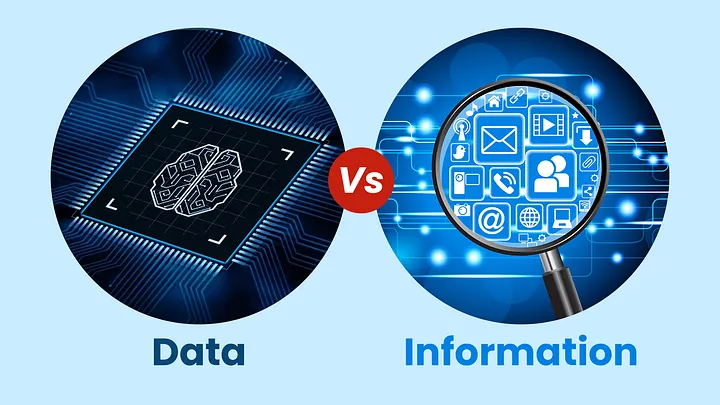
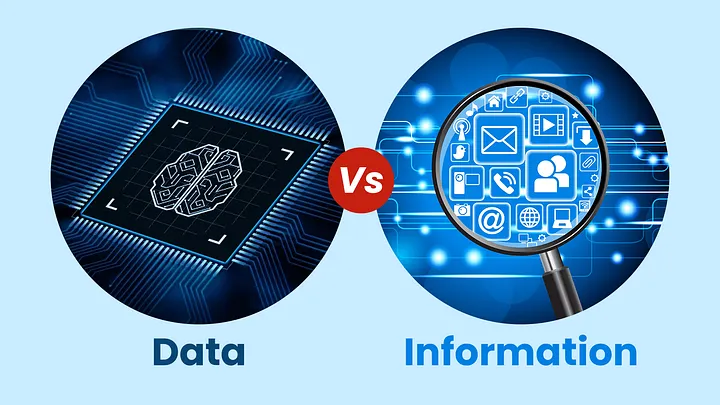
In this lesson, we are going to discuss the concepts of data and information and their significance in today’s digital world. We will explore how organizations collect, process, and manage data to support decision-making and daily operations. The lesson will also examine the limitations of traditional data storage methods and the need for more efficient data management solutions. By understanding these foundational concepts, students will gain a deeper appreciation of databases and their vital role in modern information systems.
Introduction
We live in a digital world where data is generated every second. Every time we send a message, make an online purchase, post on social media, withdraw money from an ATM, or access an online learning platform, data is created and stored.
Organizations such as schools, hospitals, banks, government agencies, and businesses depend heavily on data to operate efficiently. Without proper data management, these organizations would struggle to provide services, make decisions, and maintain accurate records.
Before studying Database Management Systems (DBMS), it is important to understand the concepts of data, information, and how databases became essential tools in modern society.
Learning Objectives
At the end of this lesson, students should be able to:
- Define data and information.
- Differentiate data from information.
- Explain the importance of data in modern society.
- Identify problems associated with manual data management.
- Understand the evolution of data storage systems.
- Recognize the role of databases in everyday applications.
- Appreciate the importance of database systems in organizations.
What is Data?
Data refers to raw facts, figures, symbols, observations, or measurements that have not yet been processed or organized into meaningful information.
Data by itself often has little meaning because it lacks context.
Examples of Data
- Juan Dela Cruz
- 20
- BSIT
- 09123456789
- ₱500
- June 15, 2026
These values alone do not provide sufficient meaning because they are merely isolated facts.
Data may exist in various forms:
Text Data
Examples:
- Student names
- Addresses
- Product descriptions
Numeric Data
Examples:
- Grades
- Salaries
- Quantities
Date and Time Data
Examples:
- Birthdays
- Appointment schedules
- Transaction dates
Multimedia Data
Examples:
- Images
- Audio recordings
- Videos
Boolean Data
Examples:
- Yes/No
- True/False
- Active/Inactive
Data serves as the foundation for information and decision-making processes.
What is Information?
Information is processed, organized, and meaningful data.
When raw data is arranged and interpreted in a useful manner, it becomes information.
Example
Raw Data:
- Juan Dela Cruz
- 20
- BSIT
Information:
| Name | Age | Course |
|---|---|---|
| Juan Dela Cruz | 20 | BSIT |
The table above provides context and meaning, transforming raw data into useful information.
Characteristics of Information
Good information should be:
- Accurate
- Free from errors and mistakes.
- Relevant
- Useful for a specific purpose.
- Timely
- Available when needed.
- Complete
- Contains all necessary details.
- Reliable
- Obtained from trustworthy sources.
Organizations rely on quality information to make sound decisions.
Difference Between Data and Information
| Data | Information |
|---|---|
| Raw facts | Processed facts |
| Unorganized | Organized |
| Has little meaning | Has meaningful context |
| Serves as input | Serves as output |
| Example: 95 | Example: Student scored 95 in Database Systems |
Data becomes information after processing, organizing, and interpretation.
The Importance of Data in Modern Society
Modern organizations depend on data for daily operations and strategic planning.
Education
Schools collect data such as:
- Student records
- Grades
- Attendance
- Enrollment information
This data helps administrators monitor academic performance and manage student information.
Healthcare
Hospitals store:
- Patient information
- Medical histories
- Laboratory results
- Prescriptions
Proper data management helps doctors provide accurate diagnoses and treatments.
Banking
Banks handle enormous amounts of data, including:
- Customer accounts
- Deposits
- Withdrawals
- Loan information
Without organized data, banking operations would be impossible.
Government
Government agencies maintain records such as:
- Tax information
- Birth certificates
- Licenses
- Census records
Accurate data supports public services and policymaking.
Business
Businesses use data to:
- Track sales
- Monitor inventory
- Manage customers
- Analyze market trends
Data enables companies to improve operations and increase profitability.
The Data Explosion Era
Today, the world generates massive amounts of data every second.
Examples include:
- Social media posts
- Online purchases
- Mobile applications
- GPS locations
- Surveillance systems
- Internet searches
This rapid growth is often referred to as the “Data Explosion.”
Because of this phenomenon, organizations require efficient systems capable of storing, managing, and retrieving vast amounts of information.
Traditional Methods of Data Storage
Before computers became widespread, organizations stored records manually.
Paper-Based Records
Examples:
- Filing cabinets
- Logbooks
- Record books
- Index cards
Advantages:
- Simple to use
- Low technology requirement
Disadvantages:
- Consumes physical space
- Difficult to search
- Vulnerable to damage
- Easy to lose
- Time-consuming updates
As organizations grew, manual record keeping became inefficient.
Problems of Manual Data Management
Consider a university with 10,000 students.
If all records are stored in paper folders, several problems arise.
Data Redundancy
The same information may be recorded multiple times.
Example:
A student’s address may appear in multiple documents.
This increases storage requirements and creates inconsistencies.
Data Inconsistency
When information is updated in one record but not in others, conflicting data occurs.
Example:
One file shows a student’s old address while another shows the new address.
Difficulty in Searching
Finding a single record among thousands of paper files can take considerable time.
Data Loss
Records may be damaged by:
- Fire
- Flood
- Theft
- Human error
Security Issues
Unauthorized individuals may access confidential information.
High Maintenance Cost
Organizations spend money on:
- Storage facilities
- Paper
- Filing equipment
- Personnel
These challenges eventually led to the development of computerized storage systems.
Evolution of Data Storage
The development of data management systems can be viewed as a progression.
Stage 1: Paper-Based Systems
Records stored manually.
Example:
Student records in filing cabinets.
Stage 2: Spreadsheet Systems
Data stored electronically using spreadsheets.
Examples:
- Microsoft Excel
- Google Sheets
Advantages:
- Easier calculations
- Faster searching
Limitations:
- Limited scalability
- Poor data security
- Difficult collaboration
Stage 3: Database Systems
Data stored in structured databases.
Advantages:
- Faster retrieval
- Better organization
- Improved security
- Reduced redundancy
This stage marked a major advancement in information management.
Introduction to Databases
A database is an organized collection of related data designed for efficient storage, retrieval, and management.
Examples of Databases
School Database
Stores:
- Student information
- Grades
- Subjects
- Faculty records
Hospital Database
Stores:
- Patient records
- Treatments
- Appointments
Banking Database
Stores:
- Account information
- Transactions
- Customer details
Databases allow organizations to manage large volumes of data effectively.
Basic Components of a Database
Understanding a few basic concepts will help prepare students for the study of DBMS.
Field
A field represents a single piece of information.
Examples:
- Name
- Age
- Course
Record
A record is a collection of related fields.
Example:
| Student ID | Name | Course |
|---|---|---|
| 2026-001 | Juan Dela Cruz | BSIT |
This entire row represents one record.
Table
A table is a collection of records.
Example:
A Student Table containing all student records.
Database
A database is a collection of related tables.
Example:
A School Database may contain:
- Student Table
- Faculty Table
- Subject Table
- Enrollment Table
Databases in Everyday Life
Many technologies that students use daily depend on databases.
Stores:
- User profiles
- Posts
- Comments
- Messages
TikTok
Stores:
- Videos
- User accounts
- Likes
- Followers
Shopee and Lazada
Store:
- Products
- Orders
- Customer information
- Payment records
GCash
Stores:
- Account balances
- Transaction histories
- User profiles
Learning Management Systems (LMS)
Store:
- Student accounts
- Lessons
- Grades
- Assessments
Without databases, these applications would not function efficiently.
Why Study Databases?
Database technology is one of the most important foundations of Information Technology.
Database knowledge is essential for:
- Software Developers
- Database Administrators
- Data Analysts
- Web Developers
- Mobile Developers
- System Analysts
- IT Professionals
Almost every modern information system relies on databases.
Understanding databases allows professionals to design systems that store, manage, secure, and retrieve information effectively.
Lesson Summary
Data consists of raw facts and figures.
Information is processed data that provides meaning and value.
Modern organizations rely heavily on data for daily operations and decision-making.
Traditional paper-based storage systems face numerous challenges, including redundancy, inconsistency, and security issues.
Databases were developed to address these challenges and provide efficient data management solutions.
Many modern applications such as social media platforms, e-commerce systems, banking applications, and learning management systems depend on databases.
This lesson serves as the foundation for understanding Database Management Systems (DBMS), which will be explored in the next chapter.
